PowerShell script to check external data files
Overview
CheckPSFiles.ps1 validates the external files used by Portfolio Slicer.
Its job is to catch formatting or structural problems before those files are loaded into Excel or Power Pivot.
What It Checks
The script typically checks for issues such as:
- missing files
- missing headers
- invalid or missing required data rows
- formatting problems
- structural issues that would break import behavior
Why It Matters
This script is especially useful after:
- changing data sources
- editing generated files manually
- changing
psConfig.txt - rebuilding the
PSDatafolder
Typical Validation Targets
In practice, this script helps confirm that files such as these are still usable:
Dates.csvCurrencyConv.csvQuotes.csvDividends.csvschema.ini
If Excel refresh fails even though the script run looked successful, this is one of the best next checks.
Output
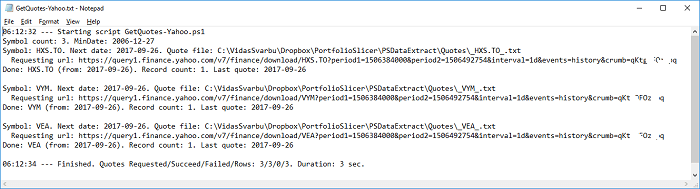
If issues are found, the script may create an error.txt file or another log file in the external data folder so you can review what failed.
A script log or error report is often the quickest way to see which file or header caused the problem.
Practical Advice
- run this after major config changes
- run it after changing data sources
- run it if Excel refresh starts failing unexpectedly
- review the reported file names first before changing workbook data
- do not refresh Excel until the generated files pass validation