srcReview table
Overview
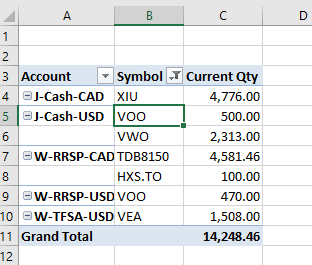
This is the Review table, which allows you to quickly review your symbol holding quantity in each account. This quick report lets you confirm that the information in the transactions table is as expected. You do not need to change anything in this table, but you can refresh and review it after you enter transactions.
Notes
To refresh this table, right mouse click on any cell in the table below and click on the menu item “Refresh” to see latest qty of Symbol in each account.
No data will be extracted from this table, it is used just for quick checking for the data you entered into transactions table.