Data required for Portfolio Slicer
Overview
Portfolio Slicer works by combining your own portfolio data with external market data.
In practice, that means you need to maintain two kinds of inputs:
- Data you enter in the Excel file PortfolioSlicer-Source.xlsx file.
- Data stored in external files such as quotes and currency exchange data.
Understanding that split is one of the keys to understanding how Portfolio Slicer works.
Portfolio Slicer Excel & Power BI reports do not directly read from the Excel source file or from your quote and currency exchange storage files.
Instead, Portfolio Slicer reports are configured to look for files in the c:\PortfolioSlicer\PSData folder and load them into the Excel or Power BI data model (Power Pivot).
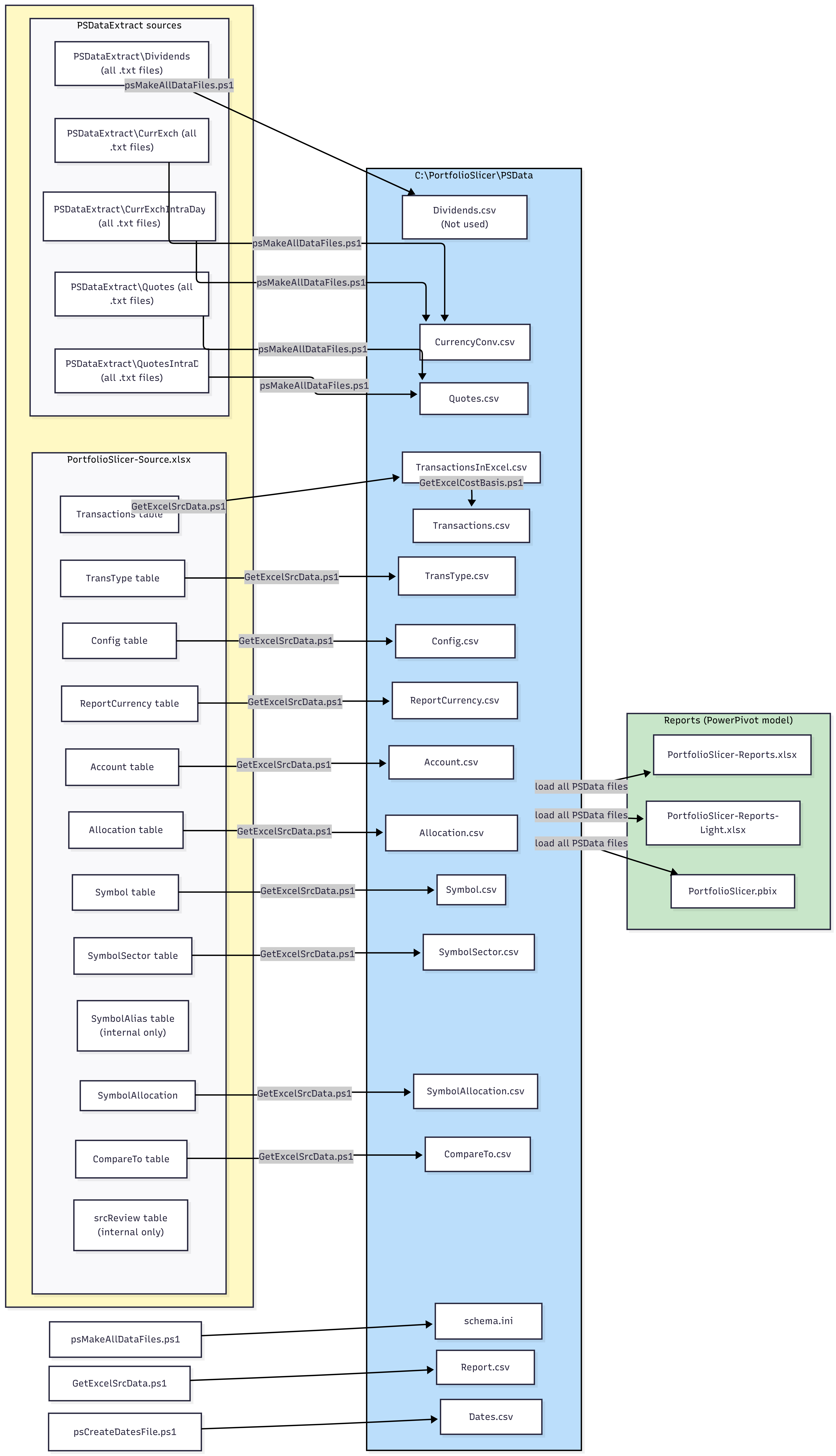
The included data management script set extracts data from the PortfolioSlicer-Source.xlsx file, prepares data from the quote and currency exchange storage files, and creates the necessary extract files in the c:\PortfolioSlicer\PSData folder.
This script set includes scripts created by community members that can automatically extract quotes and currency exchange rates from several available online sources.
The diagram below shows Portfolio Slicer source data and how it moves into the C:\PortfolioSlicer\PSData folder and then into the report files. Click the image to open a larger version.
Why External Files Are Separate
Market data changes regularly, while your structural portfolio data does not.
Keeping external data outside the workbook makes it possible to:
- refresh quotes and exchange rates without rebuilding the workbook
- maintain long market history files separately
- reuse the same data across multiple reports or workbooks